
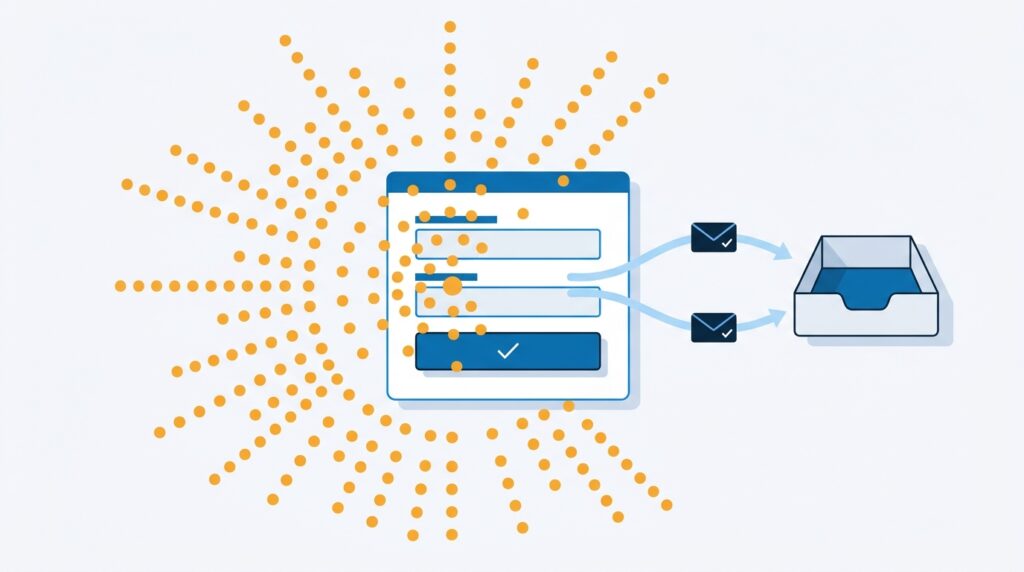
If your Meta Ads report shows plenty of results but your inbox, phone and reservation system tell a quieter story, the report is probably counting events, not customers. A pixel event can fire when a page loads or a form is merely shown. A booking engine can carry no pixel at all. A started chat is not yet an enquiry, let alone a booking. None of that is a lead.
Quick summary
- A Meta “result” is only as good as the event behind it. Check what the event measures before you trust the number.
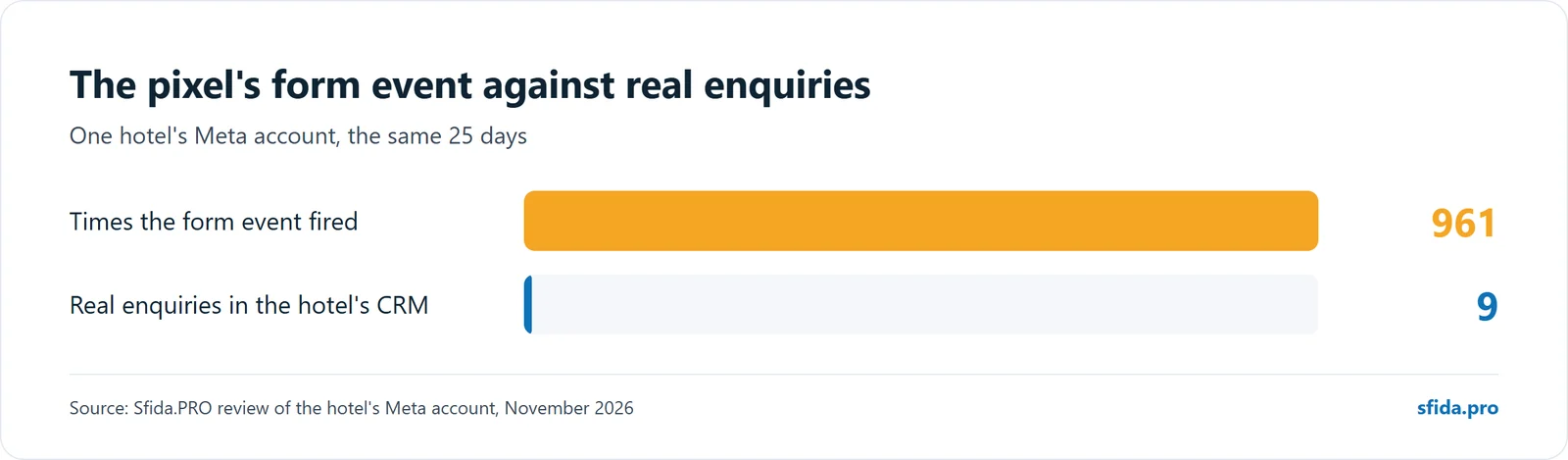
- At a five-star Tirana hotel, the Meta pixel’s Form event fired 961 times in 25 days. The hotel’s CRM recorded 9 real enquiries in that time.
- The same hotel’s booking engine carried no Meta pixel, so Meta saw 1 purchase in 28 days. The hotel’s own records showed about 100 bookings on its direct channel in that time, from all sources.
- Meta reported a lower cost per conversation started in 2026 than a year earlier, but nobody had counted how many chats became bookings. A cheap chat is not a cheap booking.
- You can check this in Events Manager in about 30 minutes, then measure what you can count yourself.
Why can Meta’s “results” be inflated?
A Meta Ads report gives you a results number, and that number is only as good as the event behind it. If the event is easy to trigger, the number looks wonderful and says little.
Meta’s own pixel reference shows how specific the standard events are meant to be. Lead is “when a sign up is completed”. Purchase is “when a purchase is made or checkout flow is completed”. ViewContent is “a visit to a web page you care about”, and the page notes it tells you someone visited the URL, not what they saw or did there. Standard events are sent with the pixel’s fbq('track') call.
That precision only helps if the code on your site matches the definition. Often it does not. Three patterns we meet:
- The event fires too early. It is attached to the page load or to the form being displayed, not to the submit button.
- The event fires on every visit. A form on a template that appears on many pages, or a script that runs on each page view, makes one visitor look like many leads.
- The pixel is not there at all. The sale happens on another domain, such as a booking engine or a payment page, and the pixel was never installed on it. Meta can’t see the sale.
What did this look like in a real account?
A five-star hotel in Tirana ran Meta Ads with us on three fronts: its website, a CRM form for enquiries and a booking engine on another domain. We compared Meta’s events with the hotel’s own records.
- At the time of our review, the form event had fired 961 times in 25 days. In the same 25 days the hotel’s CRM received 9 real enquiries. The event was counting something other than submissions.
- The booking engine carried no Meta pixel. Over 28 days Meta saw 1 purchase. The hotel’s records showed about 100 bookings on its direct channel, from all sources. We cannot say how many the ads influenced, and that is the point: with no pixel on the booking engine, Meta had no reliable way to tie bookings to the ads.
- Meta had almost no lead data to learn from. In the period we reviewed, it recorded just one lead. So “leads” in Meta’s reports could not be used as a measure.
This is the same family of problem as the Google Ads one we describe in conversions are not bookings.
What about cost per conversation?
At this hotel, some ads open a WhatsApp chat instead of a form, and Meta reports the number of conversations started.
At the same hotel, Meta reported a cost per conversation started of US$11.86 across June to September 2025 and US$1.86 across July to October 2026. The two periods are not a clean comparison: in July 2025 the hotel ran link-click boosts rather than chat ads, and in October 2026 one chat ad produced most of the conversations.
But we have to be straight about what it shows. We have not counted how many of those chats became bookings. Reception answers the messages, and the booking happens in another system. So we use the figure as “cost per conversation started” and nothing more. It is not a cost per lead, and certainly not a cost per booking. A chat may be a guest, a question about parking or a message about something else entirely.
If your agency quotes “cost per result” for a messaging campaign, ask what happens next: how many conversations, how many replied to, how many turned into a booking or sale. If nobody can answer, you have a number, not a measurement.
How do you check what your Meta events really mean?
You need access to the Meta Events Manager for your pixel and your own enquiry or booking records for the same dates.
- Open Events Manager and select your pixel. Look at the list of events and how many times each fired in the last 28 days.
- Match each event to a real action. For every event, write down what a visitor has to do for it to fire. If the answer is “open the page”, it is not a lead.
- Compare to your own count. Count real enquiries, form submissions and bookings from the CRM, inbox or reservation export for the same days. Put the two numbers next to each other. Our hotel’s were 961 and 9.
- Test it yourself. Open your website in a private window, load the form page without submitting anything, and check whether the pixel reports an event. Then submit a test enquiry and check again.
- Check the booking or checkout step. Does the pixel load on the booking engine, the payment page and the thank-you page? If the sale takes place on another domain, the answer may be no.
- Check whether a purchase or lead event exists. If your list has page views, add-to-cart and a form event but no Purchase or Lead, Meta has no customer event to measure against.
What should you measure instead?
- Real enquiries and bookings counted by you. Use your CRM, inbox or booking export as the reference, and make the monthly report start from there.
- A proper Lead or Purchase event. Fire it on the thank-you page or on a successful submit, not on page load. If the sale happens elsewhere, put the pixel there too, or send the event from the server.
- For WhatsApp campaigns, the next step. Count how many chats led to a booking or sale, even by hand: a promo code, a question in the reply, a tag in the CRM. Then report cost per booking, with the chat figure beside it.
- Different objectives apart. Awareness, traffic and enquiries do different jobs. Do not mix them in one “results” total.
This is how we set up Meta accounts: leads and bookings you can count, the pixel on every step where the sale happens, and reports that start from your records. Fake traffic matters on Meta too, as we explain for Google in Display Network inside Search campaigns.
What to do this week
- Open Events Manager and list every event with its 28-day count.
- For each event, write what the visitor must do to trigger it.
- Count real enquiries and bookings for the same 28 days from your own system.
- Load your form page without submitting it and see if an event still fires.
- Check that the pixel loads on your booking engine, payment page and thank-you page.
- If you run chat ads, count how many chats from the last month became a booking or sale.
- Ask whoever runs your ads which event your campaigns are optimised for, and why.
Want your Meta Ads judged on leads, not events?
We run Google Ads and Meta Ads for hotels, resorts and other businesses that live on bookings and enquiries, and report in leads and bookings you can count. See how it works on our Google Ads and Meta Ads management page, then request a quote or book a call.
Get our next article by email
Practical notes from our client work on WordPress, SEO and Google Ads. One email a month at most, and only when something new is out. Unsubscribe anytime. Privacy policy